· 6 min read
Which computer a dubbing studio needs to separate film audio
Graphics card, video memory, RAM and disk: what really decides how fast film audio is separated, and how long an episode and a film take on different graphics cards.
Neural network sound separation is heavy work, and the computer decides whether an episode takes ten minutes or half an hour. Let us look at which parts of the computer affect what, how much memory and disk space you really need and what to expect from different graphics cards. The numbers come from our measurements with DubStem. Where there is no measurement, the number is a calculation, and we say so.
What loads the computer
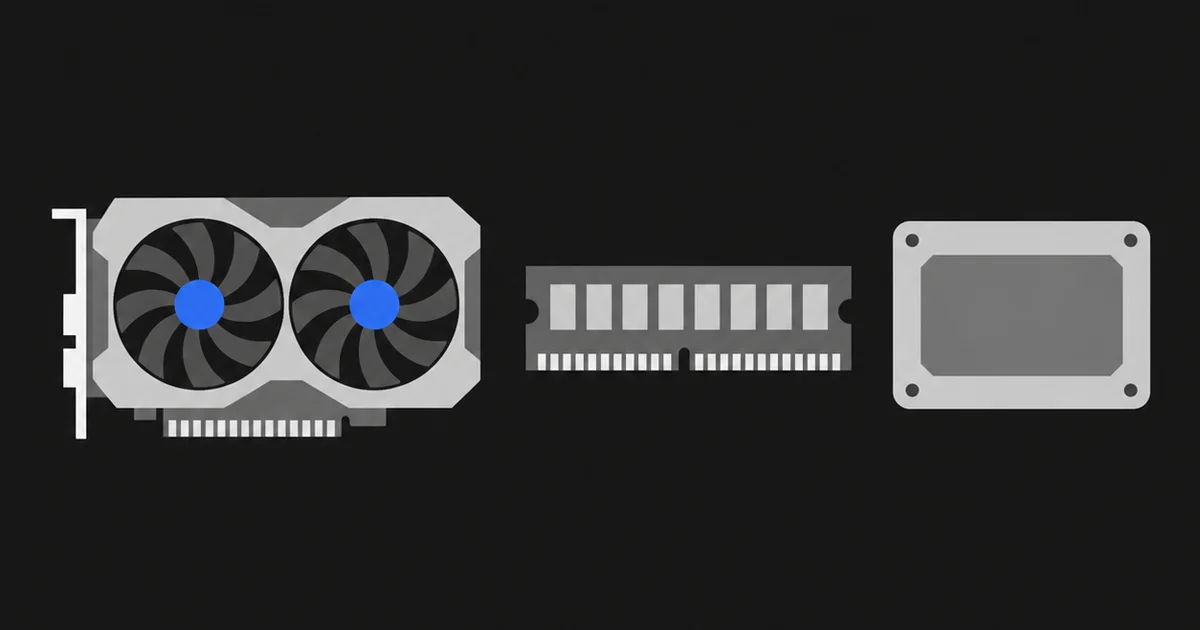
- The graphics card runs the neural network itself. Speed depends on it more than on anything else.
- Video memory determines the size of the portions in which the model can process the sound. If there is little of it, the work goes in smaller portions and more slowly.
- RAM holds the sound and the intermediate results.
- The disk stores the temporary files and the finished tracks, and for a film in 5.1 that is tens of gigabytes.
- The processor reads and writes the files, but it has little effect on the total time.
Graphics card
Neural networks for sound separation compute on the graphics card in half precision, and NVIDIA GeForce RTX graphics cards handle this best: they have dedicated units for this kind of computation.
- Suitable: RTX 20, 30, 40 and 50 series. We tested the program on an RTX 3080. DubStem supports RTX 50 series cards, but we have not run it on them yet.
- Video memory: at least 4 GB, preferably 6 GB or more. In our measurement the program used from 2.2 to 5.0 GB.
- Driver: NVIDIA version 580 or newer.
- Not suitable: AMD and Intel graphics cards, Mac computers, running without a graphics card. Older GTX 10 series cards and earlier are not supported, and we have not tested GTX 16 series cards.
Laptop graphics cards are usually noticeably slower than desktop cards with the same name, because they get less power and worse cooling.
How long the work takes
We measured the time on one graphics card, an RTX 3080 with 10 GB of memory. The film was 2 hours 2 minutes long, in 5.1, with the lines found by speech recognition and with text transcription:
| Stage | Time |
|---|---|
| Everything together | 58 min 40 s |
| Splitting into tracks | 31 min 53 s |
| Finding lines and enhanced line cleanup | 19 min 48 s |
| Line transcription | 2 min 28 s |
For other graphics cards we calculated the time from their relative speed in similar neural network tasks. This is an estimate, not a measurement: the real time may differ.
| Graphics card | 45 minute episode, 5.1, lines from subtitles | 2 hour film, 5.1, no subtitles, with transcription |
|---|---|---|
| RTX 3060 (12 GB) | 28–39 min | 1 h 34 min – 2 h 13 min |
| RTX 4060 (8 GB) | 25–36 min | 1 h 26 min – 2 h 1 min |
| RTX 3080 (10 GB) | 15–21 min | 49–69 min, measured 59 min |
| RTX 4070 Super (12 GB) | 13–19 min | 45–63 min |
| RTX 4080 Super (16 GB) | 10–14 min | 33–47 min |
| RTX 4090 (24 GB) | 8–12 min | 26–37 min |
| RTX 5090 (32 GB) | 7–10 min | 22–31 min |
To see the time for your graphics card and your mode, use the processing speed page: it has a calculator for 22 popular graphics cards.
Stereo is processed faster than 5.1: in 5.1 five channels are separated, in stereo two.
RAM
On a 2 hour film in 5.1, the peak RAM use in our measurement was 14.8 GB. So 16 GB is cutting it close: if an editing program or a browser with a dozen tabs is open at the same time, there may not be enough memory. We recommend 32 GB.
DubStem processes long films in chunks of 10 minutes, so memory use does not grow with the length of the film: an episode and a feature film need about the same amount.
Disk
Separating 5.1 takes a lot of space:
- During processing, a 2 hour film in 5.1 took about 54.5 GB, of which 31 GB was temporary. Plan for about 60 GB of free space per film.
- The finished tracks (no voice, voice, music and effects) in 24 bit WAV weigh 23.6 GB together. Lossless FLAC takes about half as much. If you save only the no voice track, you need a quarter of the space.
- Disk type. A fast SSD shortens the time for writing and reading, especially when a whole season is in the queue.
The program itself takes 5.3 GB after installation.
Cooling
On a long film the graphics card works at full power for up to an hour without a break. In our measurement the RTX 3080 heated up to 85 °C and stayed at 84–85 °C for about 10 minutes. This is a normal operating temperature for a graphics card, but in a cramped rack or a hot room it is worth making sure the case is well ventilated.
If you want to spare the graphics card, DubStem has a “Gentle mode” (Бережный режим): the program pauses so the card does not heat above a set temperature. The sound comes out the same, down to the last bit. On a 12 minute film with a 75 °C limit, processing took 27% longer, but the temperature did not rise above 75 °C.
What to choose
- If you already have a computer with an RTX 20 series card or newer and 6 GB of video memory, start with it: the program will work, and the only question is speed.
- For regular work on series, a card at the level of an RTX 3080 or RTX 4070 Super or newer is convenient: a 45 minute episode in 5.1 takes about a quarter of an hour.
- For large volumes, fast cards such as the RTX 4090 or RTX 5090 cut the time roughly in half compared with the RTX 3080. This is our estimate, not a measurement.
- RAM: 32 GB. Disk: an SSD with 100 GB or more to spare for working files.
The full list of requirements is on the computer requirements page.
We show the program on a call and open 7 days of full access